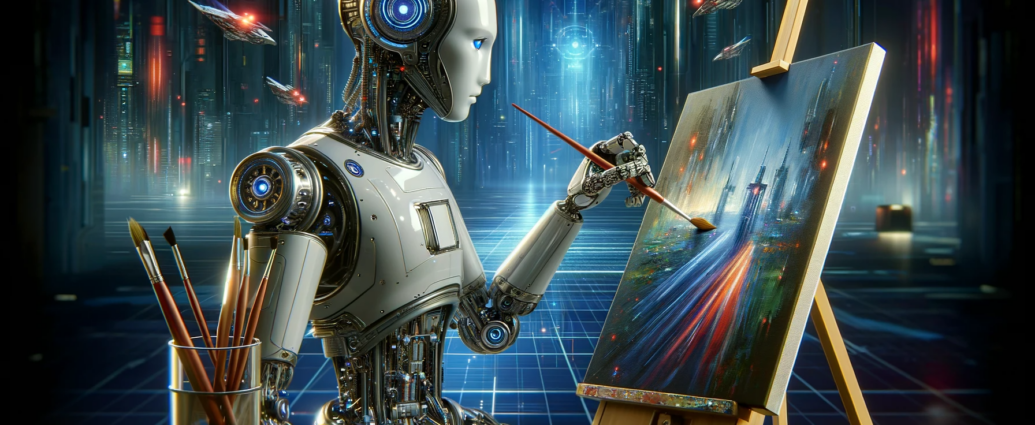
An AI Image Generator is a creative tool that can convert text into images. Users can no longer create each element of an image manually, but instead describe what they want, select a desired image direction, and let AI create the image.
A great advantage of AI-generated images in the modern era is the option to experiment with various style variations. The same concept can be created as a realistic photo, digital painting/artwork, illustration, cartoon, painting, or movie scene.
From content creators to designers, marketers, bloggers, students, and business owners, AI image generation can be a game-changer for exploring creative concepts promptly and effectively.
What Is an AI Image Generator?
An AI Image Generator is a piece of software that generates images based on user instructions using AI and machine learning models. Typically, the instructions are available as text prompts, but some tools can also take reference images or other inputs.
In one instance, a user could envision a city in the future, in a sunset setting, and with glass buildings, flying cars, and lighting. The AI uses those instructions to create an image based on the description.
The output quality and style rely on various factors, such as the AI model used, the prompt, the settings, the image size, and the chosen style.
What Makes an AI Image Generator Produce Different Styles?
AI image generators can convey the same idea in a variety of visual ways. The same subject can be used in different artistic styles.
For instance, a photograph of a person in the woods can be created as:
- A realistic photograph
- A digital painting
- A watercolor illustration
- A cinematic scene
- A fantasy artwork
- A cartoon
- A vintage poster
- A minimalist illustration
- A 3D-rendered image
This versatility can be beneficial for experimentation with AI image generation. You don’t have to develop a new concept for each picture; you can change the style and characteristics of the picture but maintain the same central idea.
What are the Various Styles You Can Experiment With Using AI?
Depending on the AI tool, there are various styles that can be used, but some are very popular.
Photorealistic style is primarily concerned with real light, textures, environments, and subjects. Can be useful when representing visual ideas that require a photograph.
Unlike traditional art, digital art offers greater creative control and can feature dynamic colors, imaginative settings, and stylized characters.
Watercolor and traditional painting techniques can work to produce softer images by using brush textures and blending colors artistically.
Cartoon and illustrated styles are great for educational purposes, social media graphics, stories, and creatives.
Cinematic styles focus on the dramatic elements of lighting, composition, atmosphere, and visual storytelling.
3D styles can be used to make images that look like products, environments, characters, computer-generated objects, or product concepts.
How to Improve Your Prompts to Generate “Unlimited” Style Variations?
The prompt is a crucial element of AI image generation. A clear and explicit prompt provides the model more information about what you want.
There could be a helpful hint, such as the subject, setting, atmosphere, colors, light, composition, and visual style.
For instance, rather than writing:
“Create a city.”
You could write:
“Design a futuristic city at sunset, featuring tall glass tower buildings, colorful lights on the streets, flying cars, and bright signs.
Then you can only adjust the style part to see variations.
The concept could then be turned into a realistic photo, watercolor drawing, cyberpunk illustration, or 3D rendering.
One Idea, Multiple Image Variations?
Yes. The great thing about an AI Image Generator is that you can start with an idea and create multiple ideas from it.
You might change:
- Color palette
- Lighting
- Camera angle
- Background
- Clothing
- Time of day
- Artistic style
- Mood
- Composition
- Level of realism
Sample products can be demonstrated in a clean studio, luxury, outdoor, or futuristic setting, for instance.
This way, creators can experiment and evaluate various visual directions to see which one aligns more closely with their vision.
AI Image Generators: What Can Creators Do?
AI-generated graphics can be utilized in a variety of applications by content creators. Custom imagery can be used in various formats, including blog posts, social media content, presentations, thumbnails, advertisements, concept boards, and creative campaigns.
Rather than looking for an image that is only somewhat similar to a topic, creators can begin by describing a certain scene and create something that is more similar to what they were looking for.
AI-generated images can also be used to ensure the visual consistency of the content. They can build a familiar image, composition, character, or style that can be repeated through the generations.
How Can Businesses Use AI Images?
AI-generated visuals can be utilized by businesses for brainstorming, marketing ideas, product visualization, advertising concepts, presentations, and social media campaigns.
For instance, a business that wants to create a new product might have preliminary concepts of the product prior to actually shooting or designing it.
Additionally, marketing teams can try out various directions in their creation. They can also analyze and discuss whether there are minimalist versions, luxury versions, coloured, modern or futuristic versions of the same campaign concept.
It is always important for businesses to carefully consider the usage rights and licensing agreements associated with the specific AI tool they are using, particularly if the AI-generated images are meant for commercial use.
How Can You Get More Consistent Results?
It can be difficult to create several images consistently. Sometimes, prompts will yield very different results depending on the wording.
Make sure that key parts of your prompt remain constant so that it is easier to understand. Describe the regular elements, colors, clothing, setting, and features in the picture.
If the tool provides reference images, image guidance, reference characters, and/or style controls, these can also help to ensure a consistent look for several generations.
Changing one thing at a time is helpful. If you have to make changes to all of these factors at the same time, it can become hard to tell which change made it better or worse.
What Are the Benefits of Using an AI Image Generator?
AI image generation has several benefits when it comes to creative tasks.
Speed: Images can be created quite rapidly, and often faster than manually by someone creating from scratch.
Testing Options: Test a few concepts and styles and then move on to a new one without being stuck in one direction.
Accessibility: Advanced design skills are not required to generate a visual idea with natural language instructions.
Customization: It includes prompts where you input specific colors, environments, moods, and compositions.
Idea development: AI can act as a visual brainstorming tool to help develop ideas into visual references that can be refined later.
In the brainstorming phase and concept development phase, AI’s image generation capabilities prove to be invaluable.
What to Consider When Using AI Images?
While AI-generated images can be impactful, they are far from flawless. Images may have visual inconsistencies, unusual details, incorrect text, or unexpected objects.
If it’s an important project, check all of the images that come back before you publish or use them for commercial purposes.
It’s important to be aware of the policies and usage rights of the AI platform you are using. Some of the rules may vary between different services regarding ownership, commercial use, copyrighted material, and user-generated content.
Do not incorporate prompts that sound like those of a “real” artist if it could present an ethical or legal dilemma. Rather, express the visual attributes you’re looking for, including color palette, medium, composition, lighting, or detail level.
How to Get More Creative with AI-generated images?
Often, creativity is the result of mixing ideas together that are not expected. Do not use a consistent style, but try out varying visual aspects.
Consider presenting contemporary architectural elements alongside traditional styles, futuristic artworks against traditional paintings, or natural textures alongside surreal elements.
You can also try out different angles, lighting, strange colour combinations, and creative settings.
It’s not just about creating as many pictures as possible. The true fun is in experimenting with different combinations until a picture idea emerges that conveys your message.
What Is the Future of AI Image Generation?
The development of AI image generation is ongoing. Tools of the future will give more control over characters, objects, composition, editing, animation, and visual consistency.
With the improvement of these technologies, AI Image Generators can be more useful as a creative assistant than just an image generator. Users will be able to explore ideas, edit a body of existing visuals, generate variations, and develop full visual concepts in ever more natural interactions.
For creators, it is about focusing on more than just creating images technically; it’s also about directing the creative process and telling a tale.
Frequently Asked Questions About AI Image Generators
What is an AI Image Generator?
An AI Image Generator is a tool that leverages AI technology to generate an image from a text prompt, reference image, or other instructions provided by the user.
What Styles are Possible for an AI Image Generator?
You can choose from realistic photography, digital art, watercolor, illustration, cartoon, cinematic, 3D, fantasy, vintage, minimalist, and more visual styles, depending on the tool.
Can I make several copies of an image?
Yes. Elements like style, lighting, colors, perspective, background, and composition can be altered, which allows for multiple versions of the same concept.
Is it legal to have AI-generated images in businesses?
AI-generated images can be used for a range of creative and marketing applications, but it is important to review the licensing and commercial use terms of the AI platform to ensure that the images are used in compliance with their conditions.
Is it possible to edit AI-generated images?
Many AI tools for making images today have editing options that let people tweak an image, alter its background, eliminate objects, or generate new versions of the image.
Can AI image generation be helpful for novices?
Yes. The majority of AI image generators are developed to be able to take instructions in natural language, so they can be used even by those who aren’t professional designers.
What is the best way to achieve a uniform look?
Repeat descriptive words and phrases for key components. Use reference images, character references, seeds, or other consistency controls as provided by the platform, if available.